Water leak sensors
Choose a sensor by where water could collect, how an alert reaches you, and what happens next. Detection and automatic shutoff are different jobs.
A buying guide by IoT Outfitters. Updated October 12, 2026.
A water leak sensor detects water at its sensing contacts or along a sensing cable. Depending on the model, it sounds an alarm or sends a notification. It does not necessarily locate hidden pipe leaks or stop the water supply. A flow monitor watches water use instead; automatic shutoff requires a compatible valve and control system.
See the EPA's explanation of leak detection and flow monitoring.
Choose the sensor type
Spot sensors
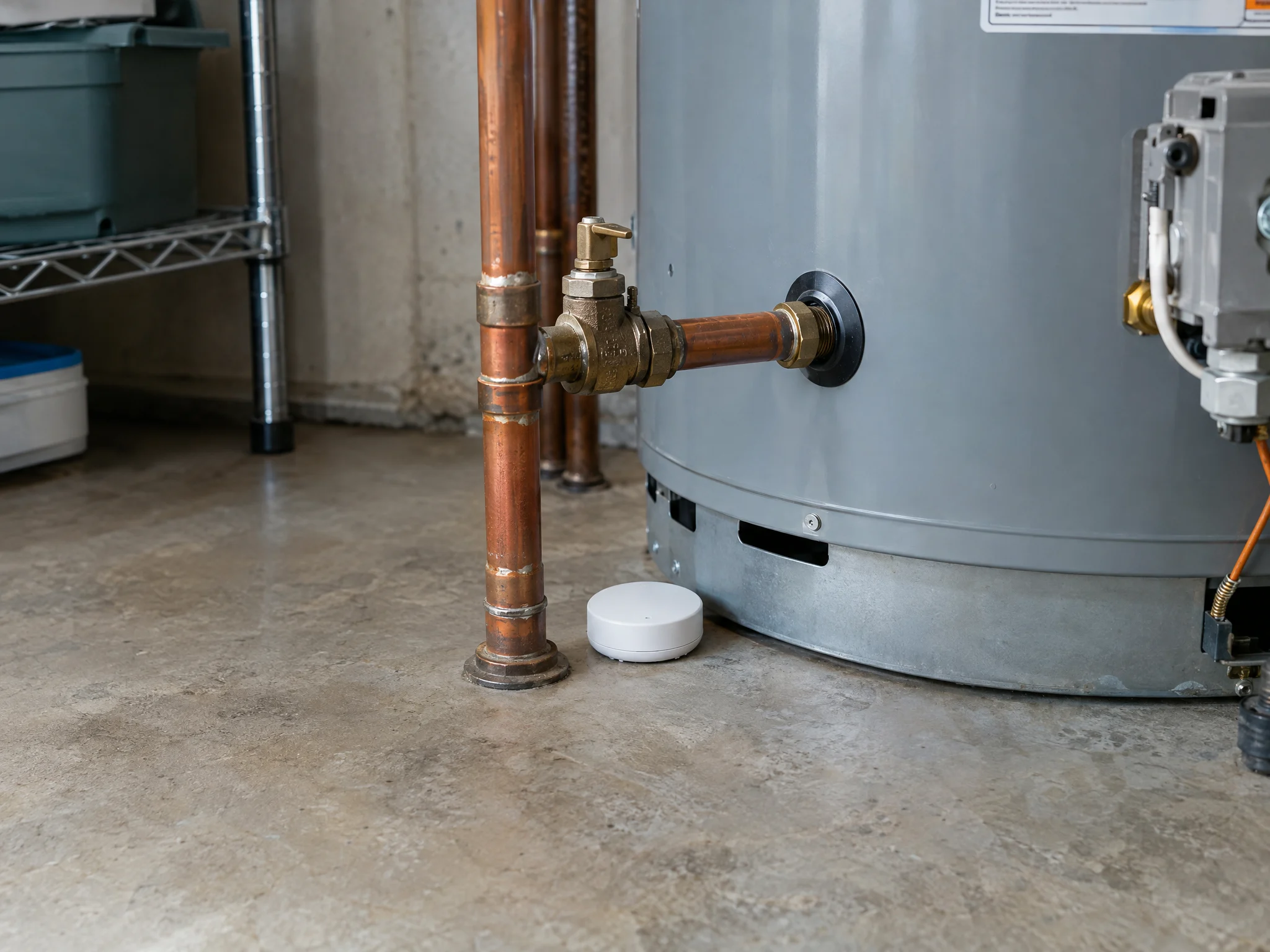
A puck or probe detects water at a particular location. It is useful near a water heater, under a sink, or beside an appliance. The contacts must be where water can reach them. A dry sensor cannot report a leak elsewhere in the room, inside a wall, or upstream in a pipe.
Choose this when you have a specific place to monitor and can position the sensor along a likely water path.
Sensing cables
A water-sensing cable covers a longer path than a single point. For example, a compatible cable can follow the floor behind appliances or a run of equipment. Confirm which parts of the cable actually sense water; an ordinary extension lead is not a sensing cable. Cable length, extensions, and connector compatibility are model-specific.
Choose this when water might collect across a wider area or the detector body cannot fit in the space.
Flow monitors
A flow monitor measures water moving through a supply pipe or meter. It can identify unusual water use downstream of its installation point. It does not directly sense a wet floor, a roof leak, or a leaking drain. Some models include a shutoff valve; others only report water use. In-line installation may require a plumber.
Choose this when you want to monitor supply-water use, then check whether local moisture sensors are also needed.
Sources include the EPA's February 2026 device guide and the Resideo L1 placement and sensing instructions. The latter describes one manufacturer's cable, not every sensor system.
Put it in the water path
Start with the possible leak, not the nearest empty floor space. Identify the supply connection, appliance, or drain and consider where escaped water would travel. Follow the manufacturer's placement instructions rather than assuming a sensor detects water anywhere around it.
- Near a water heater, following its installation instructions and keeping equipment access clear.
- Under sinks, near supply connections or a drain where escaped water could collect.
- Beside or behind a washing machine, dishwasher, or refrigerator with a water connection, if the location is accessible and suitable for the sensor.
- Near other leak-prone equipment, such as an air-conditioning condensate area, when the sensor is rated for that environment.
Check signal and alerts at the final location before relying on the installation. Cabinets, equipment, and the distance to a gateway can change the conditions from those at your setup desk. Keep the detector accessible for cleaning, testing, and battery replacement.
Count separate leak-prone locations when planning coverage. One sensor beside a water heater does not monitor the sink in another room. A cable can extend a sensing area, but only within its specified routing and length limits.
The EPA's point-of-use guidance explains why location and clean, correctly positioned contacts matter.
Check before buying
Use the product specification and installation manual to answer these questions. Connectivity, subscriptions, and compatibility vary between kits.
- Connection and gateway
- Confirm the exact supported network, whether a gateway is required, and whether it is included. A wireless sensor is not necessarily a direct Wi-Fi device. Ask which functions remain available if the internet or gateway connection fails.
- Alerts and recipients
- Check for an audible alarm, app notifications, email, or text messages. Confirm which are included and which require a service plan. For an unattended location, identify who receives the alert and who can reach the property.
- Power and maintenance
- Verify battery type, replacement or charging requirements, low-battery notifications, and any backup power. Do not assume a battery-powered sensor means the gateway, router, or remote alert service also works during a power outage.
- Detection and shutoff
- Check whether the kit only detects water or can control a compatible shutoff valve. Confirm the valve, controller, installation work, and pipe-size requirements separately. A leak notification is not evidence of automatic shutoff.
- Complete cost and contents
- List the sensors, cable, gateway, power supplies, and mounting parts included. Add installation and any required subscription to the purchase cost. If a specification is missing, ask before treating it as included or supported.
The EPA selection checklist also covers power, notifications, installation, and shutoff. It notes that shutoff installations must not interfere with a building's fire-sprinkler water supply. Consult a qualified installer where that applies.
Test the whole alert path
Use the manufacturer's test procedure after installation. Check both the detector and the intended notification at the final location. Do not submerge a device or improvise a wet test unless its manual allows it.
Decide who responds before leaving the system unattended. Record the location name, the person who receives an alert, and a backup contact. An alert is useful only if someone can investigate and arrange a safe response. Detection does not repair a leaking connection.
Keep contacts clean, replace or charge batteries as instructed, and check that the device has not moved. Recheck connectivity after power outages, router changes, or a new Wi-Fi password. Follow the manual's maintenance and testing interval rather than assuming all sensors need the same schedule.
These checks follow the maintenance principles in the EPA's device guide.
Common questions
Do water leak sensors need Wi-Fi?
Not all do. A local alarm may operate without internet access. Connected sensors use the network or gateway specified by the manufacturer. Check the supported connection and what is required for notifications when you are away.
Will a sensor shut off the water?
Only if the system includes a compatible shutoff valve and the required controls. A moisture sensor on its own may only sound an alarm or send an alert. Confirm the complete system and installation requirements.
Can one sensor cover the whole building?
A spot sensor detects water at its own contacts. A sensing cable covers its installed path. A point-of-entry flow monitor watches downstream supply-water use, but does not directly detect roof leaks, condensate, or leaking drains. Coverage depends on the technology and placement.
Does IoT Outfitters have a leak kit available?
No leak kit was published in the public IoT Outfitters catalog when this guide was checked on October 12, 2026. This is general buying guidance, not a specification or availability promise for an IoT Outfitters product.
Sources and scope
This guide explains general selection principles. Specifications and installation instructions for a particular product take precedence. It does not replace professional plumbing advice or guarantee damage prevention.
Follow the launch
Visit the IoT Outfitters homepage for illustrative monitoring applications and launch updates. Published product specifications will determine whether a kit fits your location.
Join the waitlist